> For the complete documentation index, see [llms.txt](https://liqnft.gitbook.io/docs/llms.txt). Markdown versions of documentation pages are available by appending `.md` to page URLs; this page is available as [Markdown](https://liqnft.gitbook.io/docs/sdk-for-developers/solana/mint-nft.md).
# Mint NFT
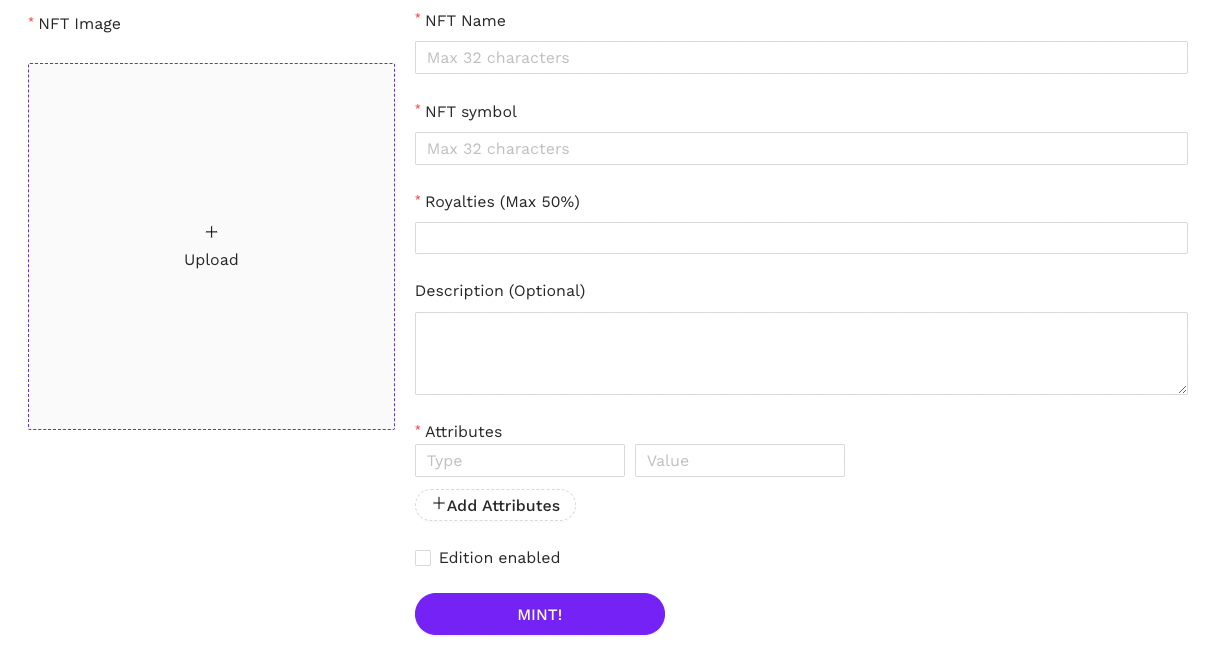
A simple and low-touch method to create a new NFT directly from within your Candy Shop. Simply navigate to "Mint NFT" section from your Admin Panel, update an image and specify the key details and hit "MINT!" and the newly created NFT will be deposited into the connected Candy Shop admin wallet.
### **Edition Enabled**
The edition feature is necessary if you want to use the NFT to create an Edition Drop subsequently. By enabling this feature and pre-setting a fixed edition quantity (for example 10), you will be able to later create an Edition Drop collection with this Master NFT and mint a further supply of 10 limited Edition NFT (from editions 1 - 10).